Your best software is still Sophie in accounts.
She knows the exceptions, fixes errors and keeps information flowing. If everything relies on one person, the tool is leaving part of the work to her.

Web and mobile applications · ERP · Automation
Copying information. Chasing a status update. Maintaining a spreadsheet because the official tool is not enough. You have equipped your business. Why is it still working like this?
A first 20-minute conversation · Fixed price per stage · With the people who use the tool
Things worth saying
She knows the exceptions, fixes errors and keeps information flowing. If everything relies on one person, the tool is leaving part of the work to her.
Separate files and workarounds reveal how work really happens. We review them with users before deciding what to build.
We start with unnecessary steps, duplicate entry and unclear responsibilities. Then we decide what is worth automating.
Missing data, permissions, an interrupted connection: a tool must also let people finish the job when things get complicated.
What we can build
A case to open, documents to attach, a status to track: an application designed for the people and devices doing the work.
Quotes, invoices, stock, schedules: we review how your tools exchange information to connect steps and reduce re-entry.
Read a document, extract useful information, prepare an analysis or quote. Important actions await your approval.
Access is restricted and actions are logged. Errors and correction time are included in the evaluation.
Catalogue, payments, stock and order tracking. The customer journey and the team’s workflow are built together.
Hosting, payment and third-party service costs are specified in the proposal.
Applications actually built
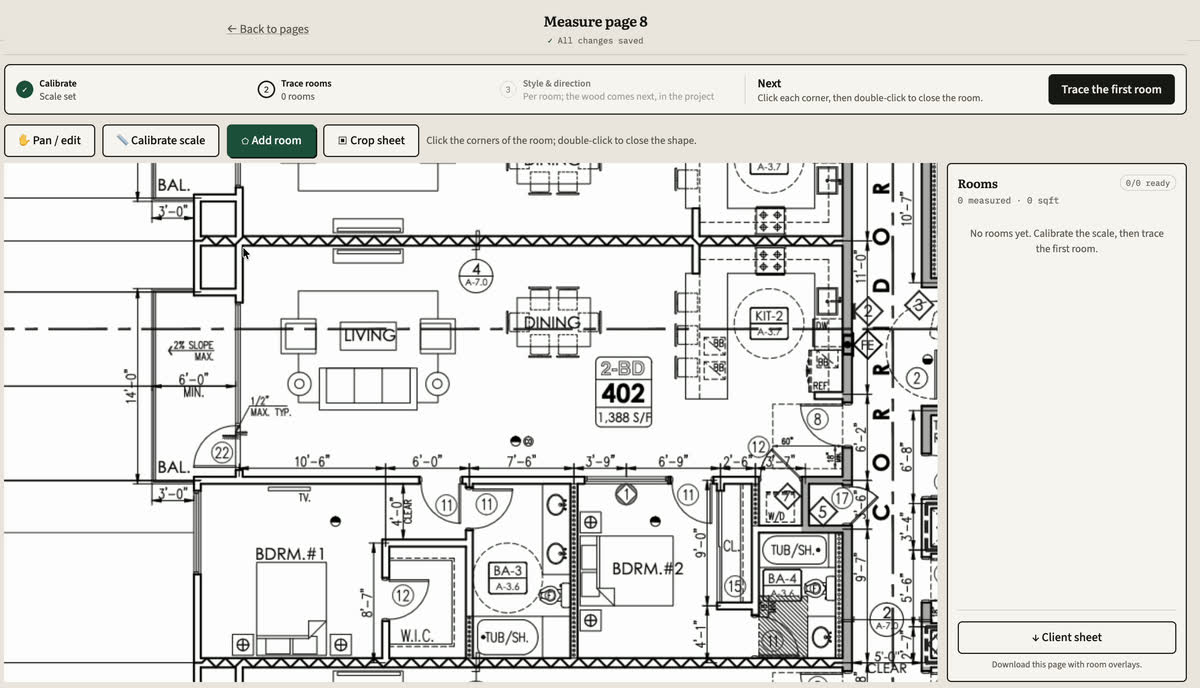
A PDF plan, measurements, material quantities and a quote to review. Design and development of a professional tool.
See the SquareTally workflow →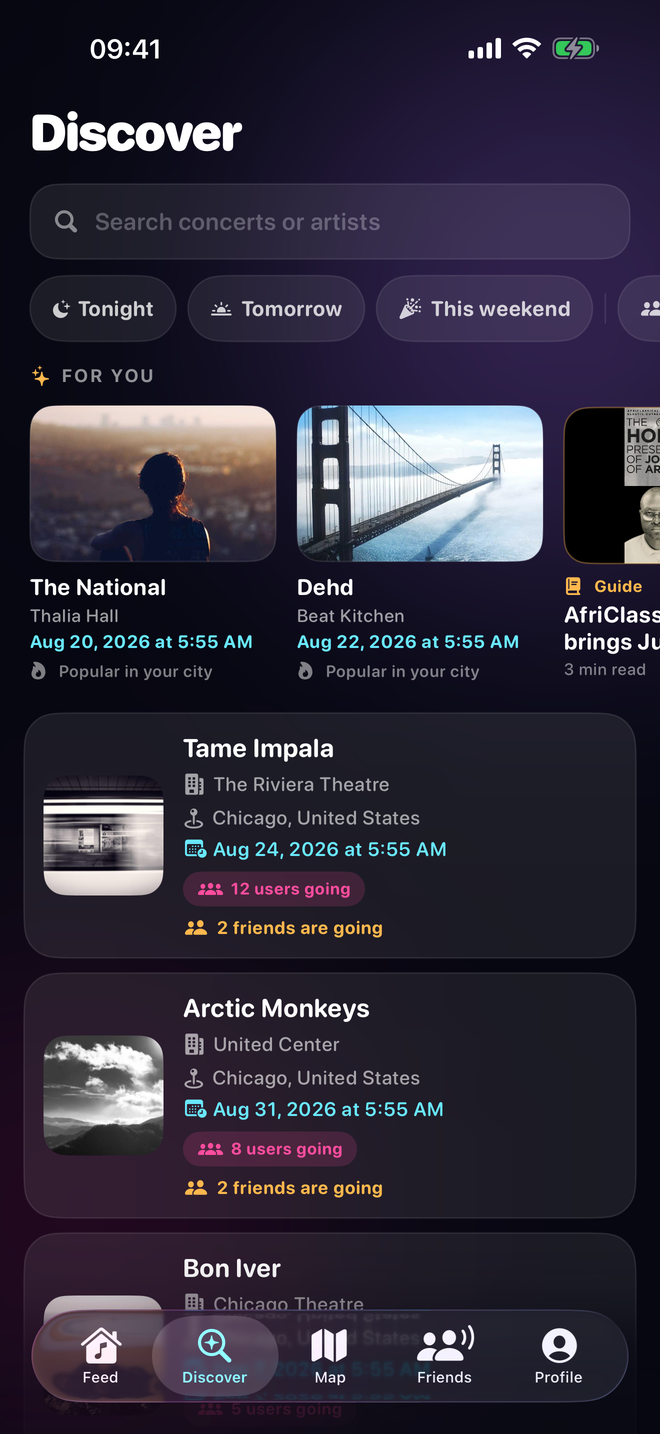
Discover concerts and plan outings together. Applications for iPhone and Android.
See the CrowdMate workflow →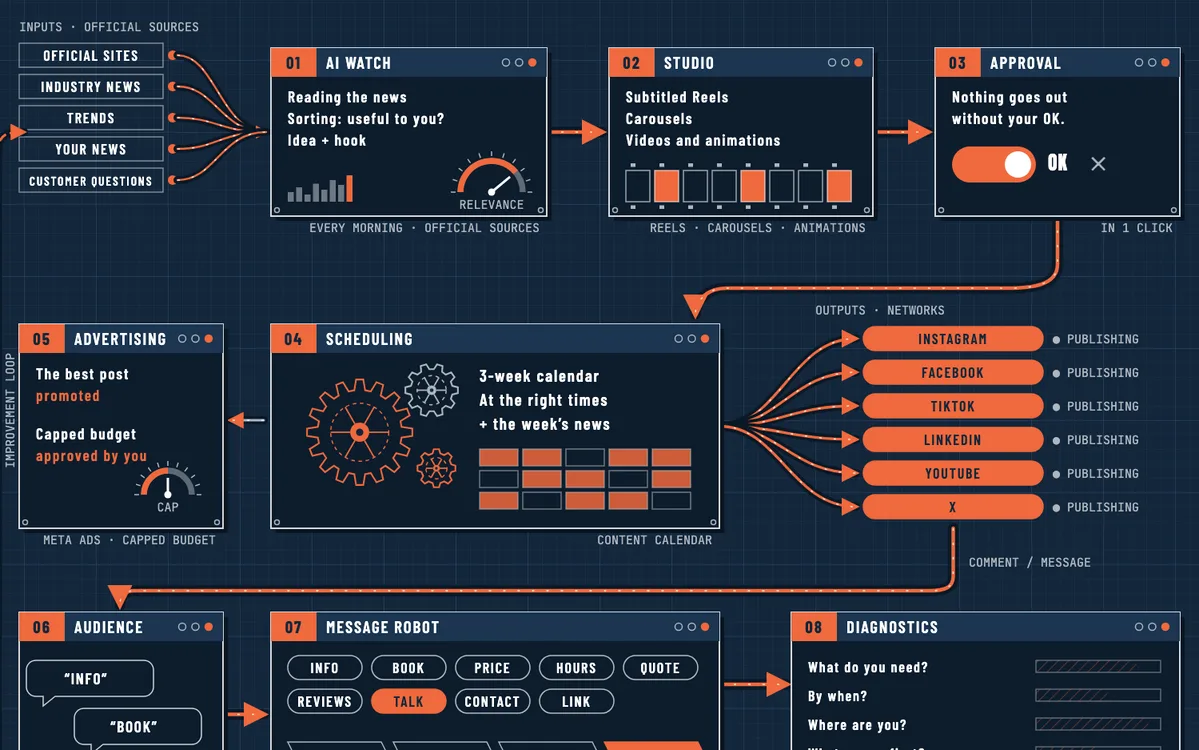
We install it in your company and train your team: you stay in control, with light support from us if you want it.
See the ClairAI Social workflow →Your first version
Illustrative example: a form, an enquiry list, an owner, a status and an export. A first workflow usable from start to finish.
Understand an application budget →We agree your project’s scope with you. Off-the-shelf or custom software: how to choose?
The ClairAI offer
A complete, testable workflow agreed with you. An enquiry received, handled and tracked. Or a document prepared, checked and ready to use. The scope addresses a specific task.
Fixed price per stage. Development, maintenance, hosting and third-party services listed separately in the proposal.
Here is what wastes our timeHow we work
A real case, the tools used and the people involved. We identify obstacles and the parts of your current setup worth keeping.
Scope, acceptance criteria, price and stages. You know what is included and what will come later.
Demonstrations using your cases, feedback and fixes. Users participate throughout the build.
Launch, onboarding, access, data recovery and maintenance: the arrangements are agreed before work starts.
“We don’t arrive with the answer before listening to the team.”
A web app, mobile software, a connection between two systems or better use of an existing tool: the answer depends on the work to be done.
Let’s get acquainted
A team of specialists, coordinated by our founder, Nicolas Mathieu: your contact from scoping to delivery. See our founder’s background →
The questions that matter
The price depends on the workflows, data to migrate, software to connect and target platforms: web, iPhone or Android. We start with a focused first version at a fixed price. The proposal separates development from expected ongoing costs such as hosting, third-party services or AI model use. Changes require a new agreement.
The schedule depends on the scope, access to your data and software, and availability of the people testing the tool. The proposal specifies stages, what your team needs to provide and the target date for the first version. A demonstration validates each stage.
A complete, testable business workflow agreed with you: for example, creating a case, attaching documents and tracking its status. The proposal specifies included features, acceptance criteria, launch and onboarding. Deferred features and maintenance arrangements are also clarified before work starts.
Yes, where possible: the application can connect to your software and data through APIs or import your files. We check this from the first conversation.
No. Agents prepare the work, and important actions await your approval. Access is limited to what is necessary, and actions are logged.
It depends on who uses it and where. A web application often suits an office team; iPhone and Android apps can help in the field or for customers. We decide together in the first conversation.
Ready for action?
Send an example of a task that gets stuck and the tools you use. We will start there to discuss a useful first version.
Here is what wastes our timeNicolas’s calendar opens. Pick a slot and our founder will talk with you personally.
nicolas@clairai.fr